Good Training Media is the right medium for the right lesson
Some concepts are best demonstrated with live video. Others are clearer through animation, graphics, or a combination of media. JBCM builds each training project around the lesson first, choosing the formats that make the information easiest to understand and apply.
One Goal. The Right Mix of Media.
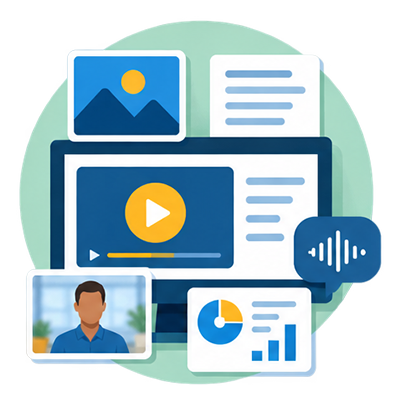
Every training need is different. We choose the combination of video, animation, graphics, photography, screen capture, and narration that best helps your audience understand, remember, and apply the information.
Live-Action Video
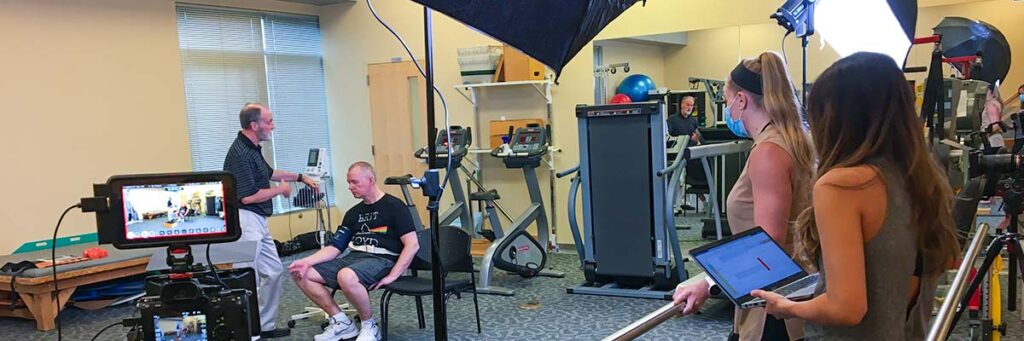
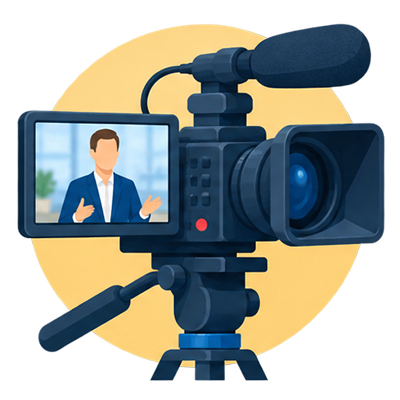
Real people, real environments, and real demonstrations. Ideal for instructors, interviews, processes, equipment, and workplace training where seeing something in action makes learning clearer.
Animation & Storytelling
Animated characters, scenarios, and visual explanations make complex or difficult-to-film ideas easier to understand. Especially useful for policies, case studies, abstract concepts, and human-centered situations.
Mixed-Media Training
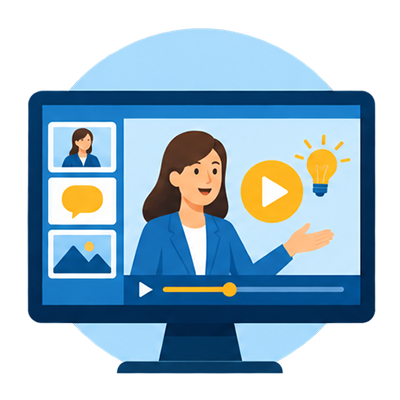
Video, animation, graphics, photography, screen capture, and narration can all work together—using the right medium at the right moment to create a clear and engaging learning experience.
What Training Media Can Help You Do
Training media can support everything from employee onboarding to customer education. We build content around the information your audience needs to understand, remember, and apply.
Employee Onboarding
Introduce new employees to your organization, culture, systems, and processes with consistent training they can revisit anytime.
Safety & Compliance
Communicate policies, procedures, workplace expectations, and required safety information clearly and consistently.
Procedures & Demonstrations
Show how equipment, software, workflows, or processes work with step-by-step visual instruction.
Professional Development
Support ongoing learning with leadership training, skills development, scenario-based instruction, and internal education.
Customer & Client Education
Help customers understand your products, services, processes, or responsibilities before and after they work with you.
LMS & Online Training
Create video, animation, and mixed-media content for learning management systems, online courses, and internal training.
Policies, Scenarios & Case Studies
Turn complex policies, workplace situations, and real-world examples into clear visual stories that make concepts easier to understand.
Consistent Training Across Teams
Deliver the same clear message across locations, departments, and instructors, without having to repeat the training from scratch.
The JBCM Process
01 Define → 02 Design → 03 Produce → 04 Deliver
From the learning objective to the finished media, every project starts with what your audience needs to understand and do.
Define We start with your audience, learning goals, subject matter, existing materials, and where the training will be delivered. This gives us a clear target before production begins.
Design We determine the best way to communicate each part of the lesson; live-action video, animation, graphics, screen capture, photography, narration, or a combination, then develop the script and visual approach.
Produce We create the individual media elements, whether that means filming instructors and demonstrations, building animated scenarios, recording narration, designing graphics, or bringing several formats together.
Deliver After review and refinement, your training media is prepared for the way you plan to use it, from LMS platforms and internal training libraries to websites, presentations, and online courses.
Advice
Training Media Tips & Advice
Not sure what to media to use for you training? Have questions about how to turn policy into training? Visit our Training Media Tips library for practical answers.
The best training format depends on what people need to learn. Here are a few ways video, animation, and mixed media can be used to turn information into clear, practical learning experiences.
Live-Action Training & Demonstration
Workplace Safety Training
Live-action video is ideal when learners need to see people, movements, equipment, or procedures demonstrated in a real environment. This workplace stretching program shows how training can be delivered clearly and consistently while remaining grounded in the actual work setting.
Good for: demonstrations, instructor-led training, interviews, procedures, equipment, and real-world environments.
Animated Scenarios & Visual Learning
Scenario-Based Training
Animation can turn a situation into a visual story, allowing learners to observe what happens, consider decisions and consequences, and explore situations that may be difficult or impractical to recreate with live production.
Good for: case studies, policies, workplace scenarios, compliance, abstract concepts, and decision-based learning.
Mixed-Media Learning
Instruction + Demonstration + Reflection
Mixed-media training combines real-world footage with graphics, text, visual cues, and instructional elements. This example uses live demonstration along with on-screen guidance and reflection prompts to help learners observe, interpret, and apply what they see.
Good for:LMS modules, clinical or skills training, professional development, and complex procedures.
Why JBCM for Training Media?
Training Experience. Production Experience. One Approach.
Effective training media requires more than good cameras or animation software. It takes an understanding of how people learn, how information should be structured, and how visual media can make complex ideas easier to understand.
Jay Billups brings experience from both sides of that equation—years of teaching and training combined with professional video, photography, animation, and media production.
Instructional Experience
Jay has taught and trained in military, college, and online learning environments, including five years at the U.S. Air Force Academy. That background helps keep the focus on the learner, not just the production.
Real-World Training Media
JBCM has created training and educational media for small businesses to government agencies, including ongoing animation and training-media work for the Colorado Department of Labor & Employment.
Built Around the Learning Goal
Every project begins with what the audience needs to understand and do. JBCM selects the right combination of video, animation, graphics, narration, photography, and screen capture to support that goal.
Pricing
Training & Education Media - From $5,000
Training projects are built around what your audience needs to learn — not around a one-size-fits-all production package.
Projects may include filmed instruction, interviews, demonstrations, animation, screen content, graphics, callouts and other visual reinforcement.
Pricing depends on the amount of content, number of modules, production requirements and level of animation or visual support.
Tell us what you need to teach and we’ll help determine the most effective way to produce it.
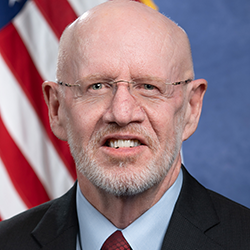
I have collaborated with Jay on many projects including CASA, 4th Judicial District Attorneys Office, and Pikes Peak Area Crime Stoppers. Jay possesses exceptional creativity, meticulous attention to detail, and a prompt delivery of his work product. One project that stands out is the animated explainer that elucidates the functions of the district attorney‘s office.
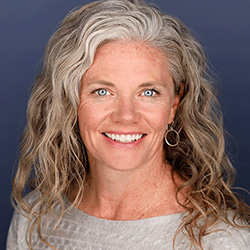
We've worked with Jay for a few years now and he is amazing. Jay is professional, creative, responsive, and an all around great guy. We're so grateful that we found him and look forward to working with him for years to come!
Have a Training Challenge? Let’s Talk About It.
You don’t need to decide whether your project should be video, animation, or something in between before we talk. Start with what your audience needs to learn, and we’ll help determine the right approach.